

Customers
Gift Card Program
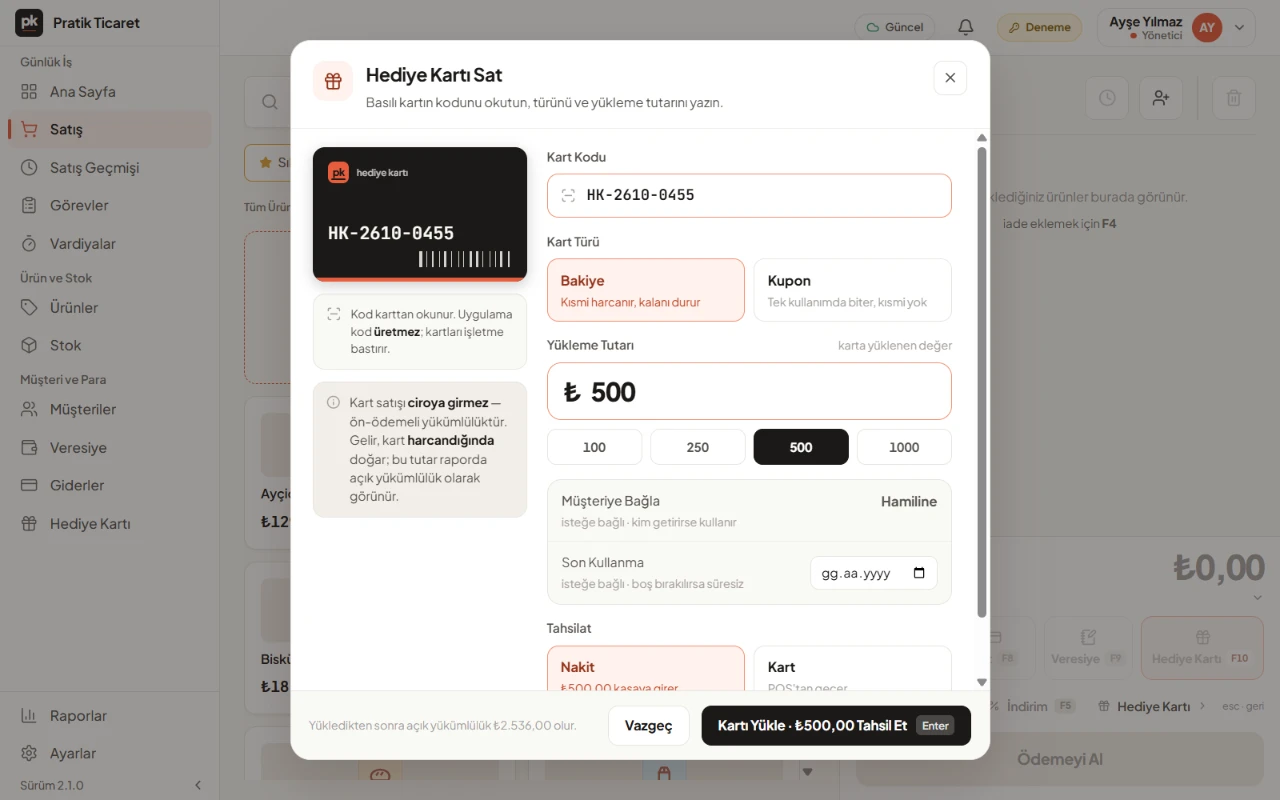
With PratikKasa's Gift Card program, you sell gift cards at the register and take payment with your customer's card. A balance card is spent bit by bit, and the rest stays on the card. The Liability Report shows the amount sold but not yet spent. Your business prints the cards; PratikKasa reads the card's code.
- Windows
- Android
- iPhone and iPad
At a Glance
In Short
Selling a Card
Scan the card's code at the register, load the amount and collect it in cash or by card.
Paying With a Card
«Pay with This Card» takes the amount from the balance. If the balance is not enough, take the rest in cash or by card.
Balance
«Check Balance» shows the remaining amount and recent activity.
Report
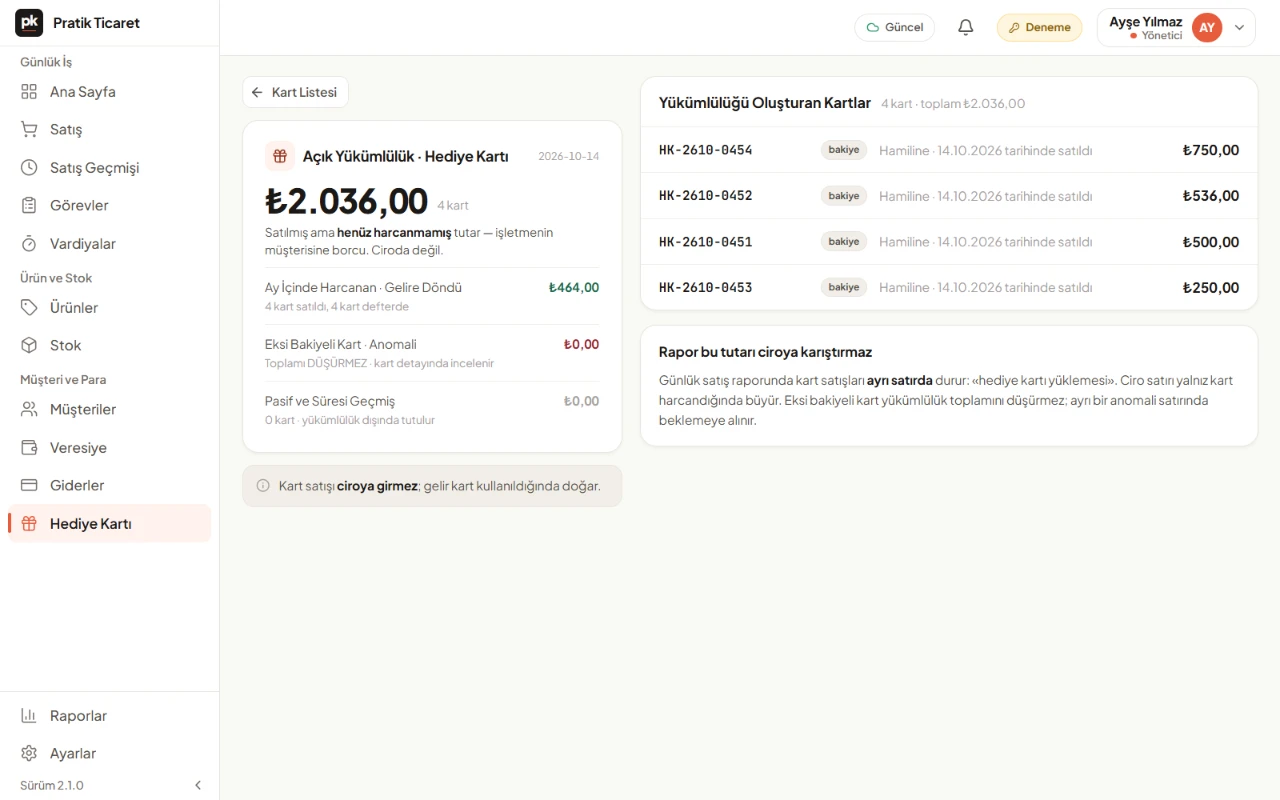
The Liability Report shows the open balance, what was spent this month and expired cards separately.
Step by Step
How to Use Gift Cards
- 1
Turn On the Program
Under Settings › Gift Card, give the program a name (such as Gift Card or Gift Voucher) and tap «Turn On Program».
- 2
Sell a Card
Tap the card sale button under the cart. Scan the card's code and enter the amount. If you like, add a customer and an expiry date.
- 3
Take Payment With a Card
At payment, choose Gift Card, scan the card and tap «Pay with This Card».
- 4
Follow the Report
See the total your customers have not yet spent in the Liability Report.
What You Can Do
Reload
Add a new amount to an existing card.
Expiry Date
Set an expiry date if you want. An expired card cannot be used for payment.
Lost Card
Deactivate a lost card; it can no longer be used for payment.
Returns
If a sale paid with a gift card is returned, the amount goes back to the card.
Good to Know
- PratikKasa does not create cards or codes. You print the cards yourself; the code is scanned with a barcode scanner or typed in.
- Selling a card is not counted in your sales total and does not produce a sales receipt. Purchases paid with the card are recorded as sales.
- If the same card is spent offline on two devices, the balance can go below zero. The card is marked «Negative Balance».
FAQ
Frequently Asked Questions
Can a gift card be spent bit by bit?
Yes. The rest of a balance card's amount stays on the card for the next purchase.
Do gift cards expire?
Only if you set it. The expiry date is optional; leave it empty and the card does not expire.
Do I sell gift cards for cash or by card?
Both. Cash from a gift card sale goes into the shift's cash.
What happens if a sale paid with a gift card is returned?
The amount goes back to the gift card first.
Can gift cards be used without internet?
Yes. Selling cards and paying with them also work offline, and sync when the connection returns.
Try It Free for 15 Days
The Gift Card program is included in every plan. No card required.