

Sales
Selling With Your Phone
Install PratikKasa on your Android phone or iPhone and you can sell with it. You scan barcodes with the phone's camera, so no separate scanner is needed. You take payment in cash, by card, on account or with a Gift Card. You print the receipt on a Bluetooth printer or share it as a PDF.
- Android
- iPhone and iPad
At a Glance
What the Phone Does
Devices
Android phones and tablets, iPhone and iPad. On tablets the screen also turns sideways.
Barcodes
The phone's camera reads them: common product barcodes and QR codes.
Payment
Cash, card, on account and Gift Card. Change is calculated for cash.
Receipt
Printed on a Bluetooth thermal printer or shared as a PDF over WhatsApp or e-mail.
Step by Step
How to Sell With Your Phone
- 1
Install the App
Download it from Google Play or the App Store. Sign in with your Business Code, username and password. A new phone is approved once from one of your existing devices.
- 2
Scan the Barcode
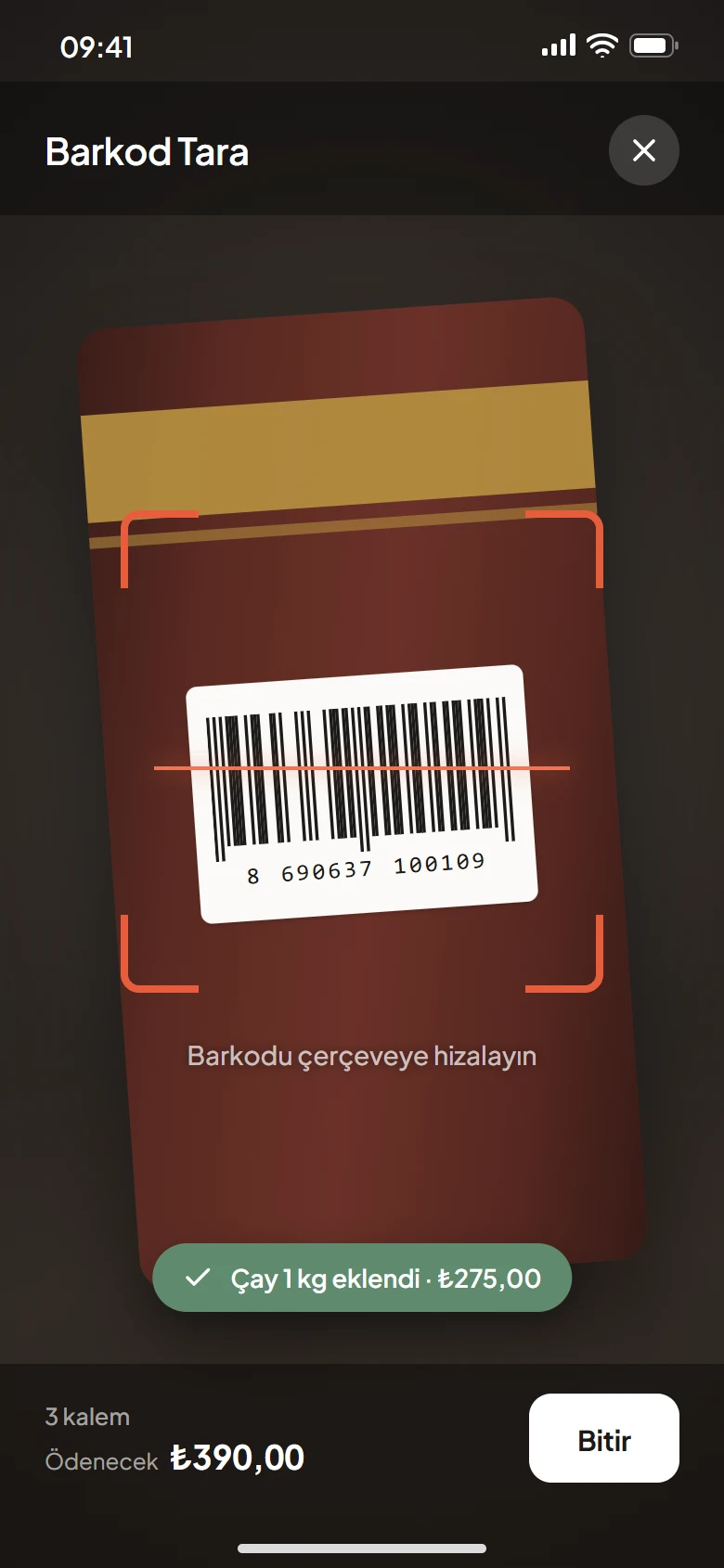
Tap the camera button on the sales screen. The scanned product goes into the cart, and you see the cart total while the camera is open.
- 3
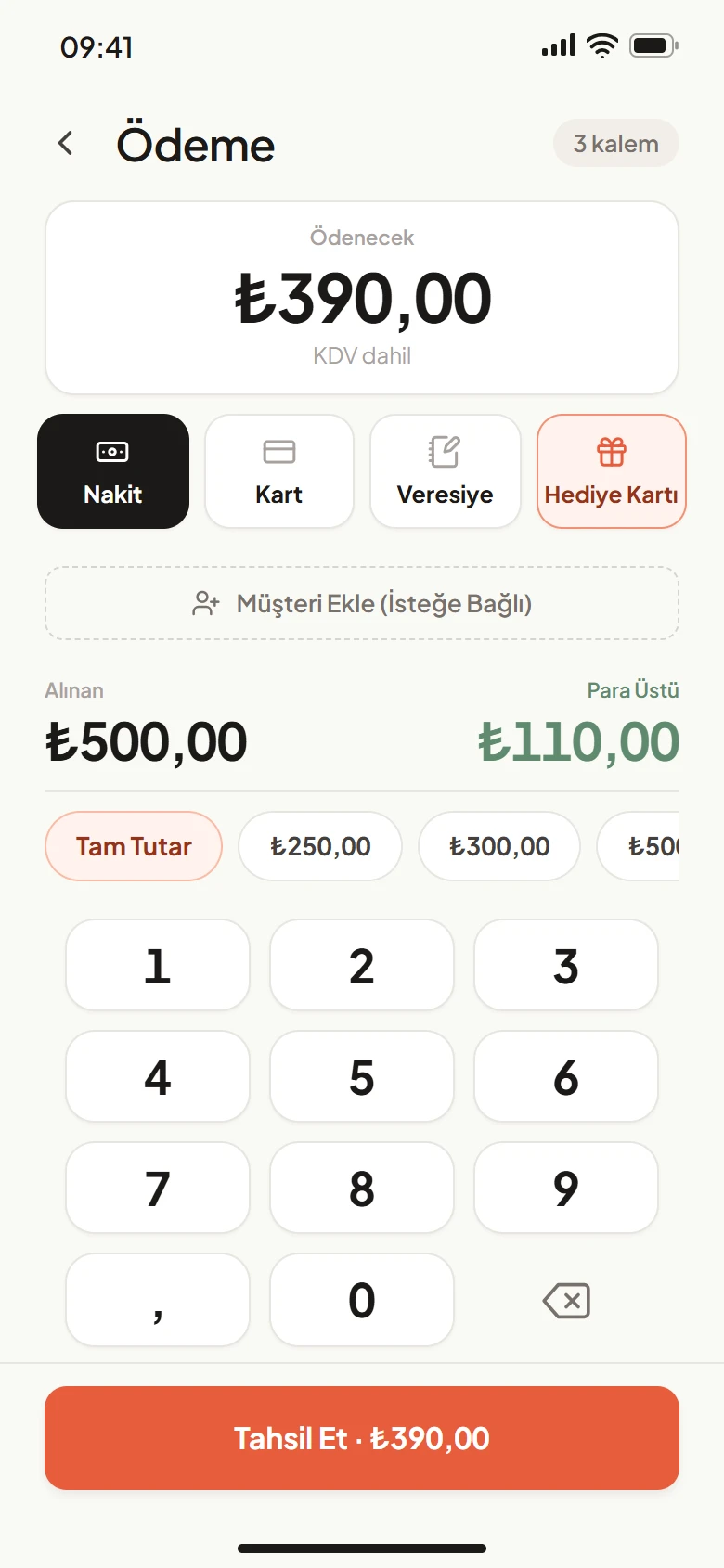
Take the Payment
Choose the payment type. For sales on account, you pick the customer. For cards, the amount goes to your Token cash register if one is connected; otherwise you charge it on your own card terminal.
- 4
Hand Over the Receipt
If your Bluetooth printer is connected, print the receipt. No printer? Share the receipt as a PDF from Sales History.
What You Can Do
What Else You Can Do on the Phone
Hold a Cart
Put a waiting customer's cart on hold, serve the next one, then pick up where you left off.
Returns
Open the receipt in Sales History and return all of it or part of it.
Add Products
Add a new product from your phone and scan its barcode with the camera.
Shortcuts
Press and hold the app icon to open Sales, Stock or Store Credit directly.
Good to Know
- The phone does not read cards itself. The card is read on a connected Token cash register or on your own card terminal, and the payment is recorded as card on the phone.
- Your Bluetooth printer must support Bluetooth Low Energy (BLE). Older (classic) Bluetooth printers do not work today.
- Taking cash and card together in one sale (split payment) and returns without a receipt are available only in the Windows app today.
FAQ
Frequently Asked Questions
Do I need extra hardware to sell with my phone?
No. The phone's camera reads barcodes. A printer is optional; you can share the receipt as a PDF.
Which Bluetooth printers work?
Thermal receipt printers, 58 or 80 mm wide, that use ESC/POS commands and support Bluetooth Low Energy (BLE). You can ask us about a model before you buy it.
Can I use a phone and a computer at the same time?
Yes. You can connect as many devices as you like to the same business. Sales and stock sync between them.
Can I sell from my phone without internet?
Yes. Sales keep going offline, and data syncs when the connection returns.
Does it work on tablets?
Yes. It runs on Android tablets and iPad. The screen also turns sideways and products appear in a wider grid.
Try It Free for 15 Days
Download it to your phone and register your business. No card required.