

Receipts
Receipts Without a Printer
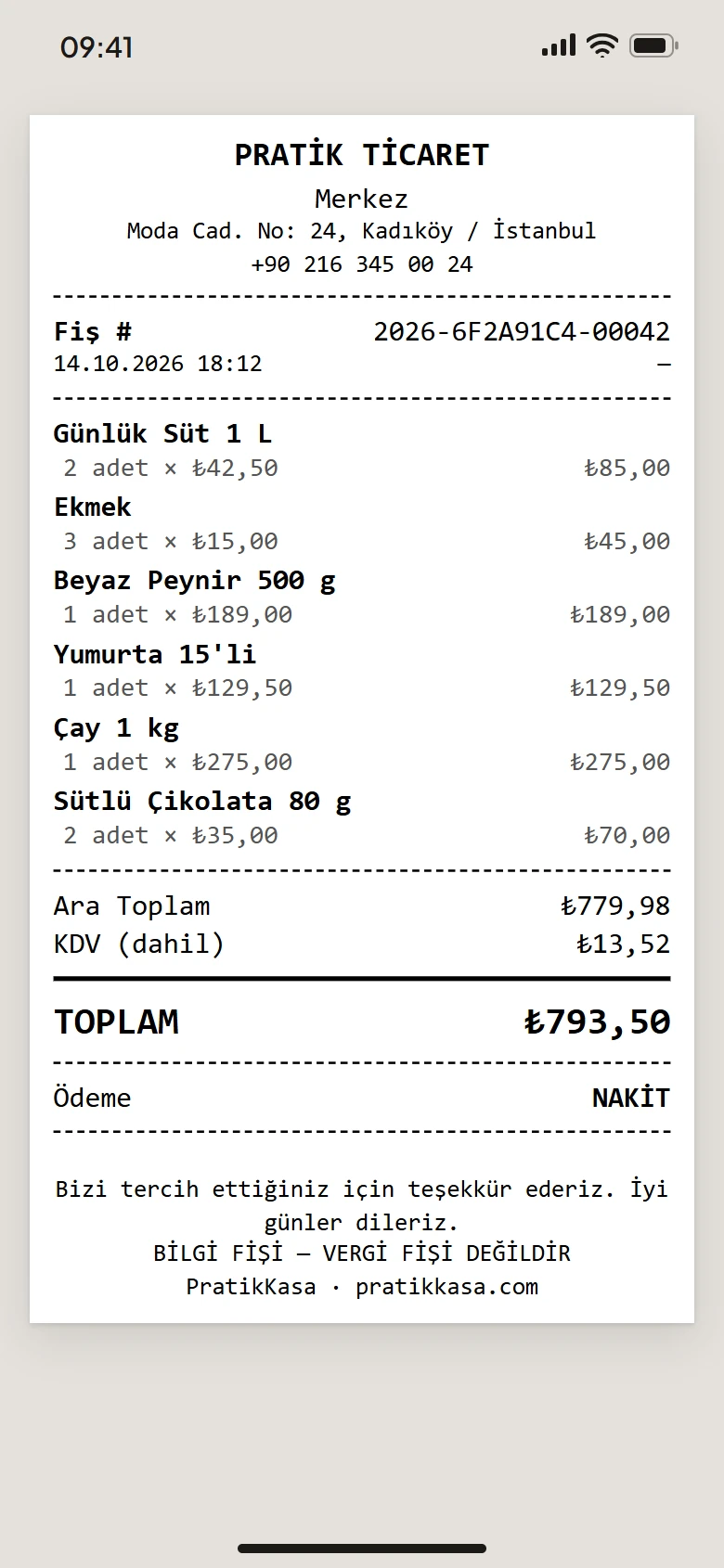
If you have no receipt printer, you can share the receipt of a sale from your phone as a PDF. You send it to your customer over WhatsApp, e-mail or any other app on your phone, or save it as a file. In Turkey, this receipt is an information receipt and does not replace a tax receipt.
- Windows — not available
- Android
- iPhone and iPad
At a Glance
In Short
Where
In the Android and iPhone app, in Sales History.
How It Goes Out
Through the phone's share sheet: WhatsApp, e-mail or any app you choose.
What You Need
No printer. The receipt is prepared as a PDF file.
At the Bottom
By default, the receipt ends with a line saying it is an information receipt, not a tax receipt.
Step by Step
How to Share a Receipt as a PDF
- 1
Open Sales History
Find and open the receipt under More › Sales History.
- 2
Tap «Print»
Tap the «Print» button at the bottom of the receipt.
- 3
Choose «Share as PDF»
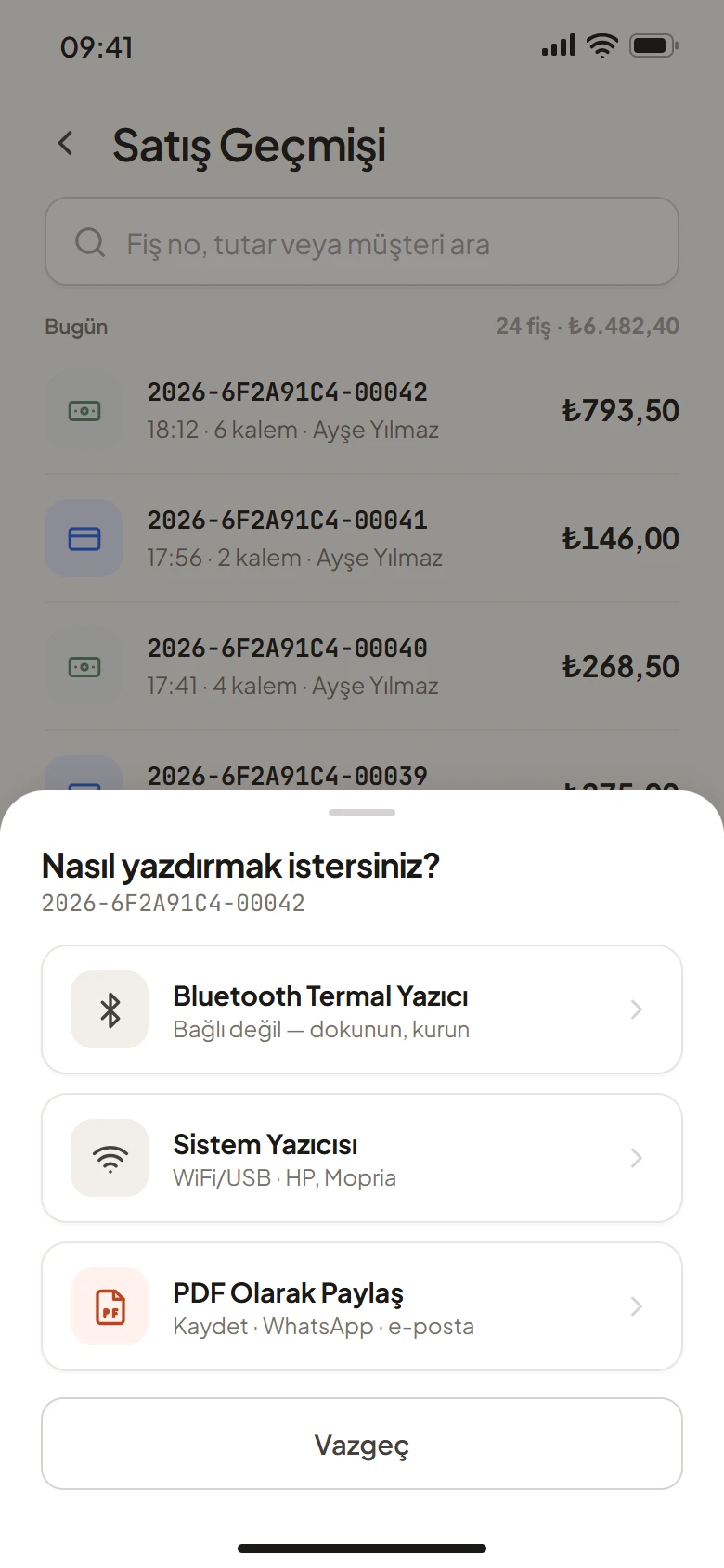
When asked how you want to print, choose «Share as PDF».
- 4
Send It
In the share sheet, choose WhatsApp, e-mail or another app.
What You Can Do
If You Want to Add a Printer
Bluetooth Thermal Printer
A 58 or 80 mm thermal receipt printer with Bluetooth Low Energy (BLE) connects to the phone.
Wi-Fi or USB Printer
Print through the phone's printing service. The printer must be on the same network as the phone.
On a Computer
The Windows app prints to network (Wi-Fi, Ethernet) and USB thermal printers and to printers installed in Windows.
Good to Know
- A PDF receipt is also an information receipt and does not replace a tax receipt. In Turkey, fiscal receipts come from a cash register (ÖKC).
- The receipt is not sent to the customer automatically. You send it from the share sheet.
- Sharing receipts as PDF is available in the phone and tablet app today, not in the Windows app.
FAQ
Frequently Asked Questions
Does a PDF receipt replace a tax receipt?
No. A PDF receipt is also an information receipt. In Turkey, fiscal receipts require a cash register (ÖKC).
How do I send a receipt over WhatsApp?
Open the receipt in Sales History, tap «Print» and choose «Share as PDF». In the share sheet, choose WhatsApp and find the contact.
Can the receipt be sent to the customer automatically?
No. You send the receipt yourself from the share sheet.
Can I share a PDF receipt from a computer?
Not today. The Windows app sends the receipt to a printer. Sharing as PDF is in the phone and tablet app.
What does the receipt show?
Your business name and details, the products, the amount, the payment type and the receipt number. You choose which fields appear in the receipt settings.
Try It Free for 15 Days
Start without a printer. No card required.